Abbas Sarraf
In release 22.01, we made it easier to save forms while you are working on them. Read all about it here:
Has spotty Wi-Fi on job sites been causing you to lose your forms? We’ve fixed it.
What is it?
-
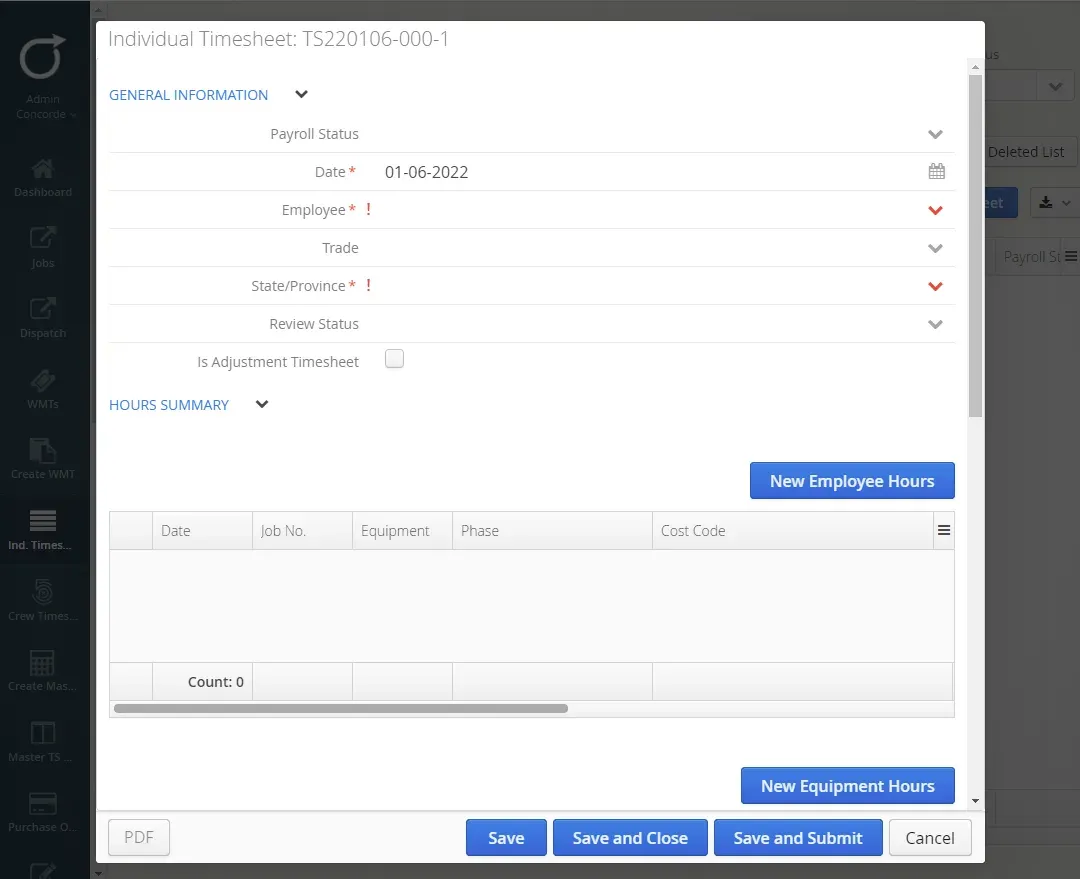
A new “Save” button on forms. You can click this as frequently as you like while working on a form to save your progress
-
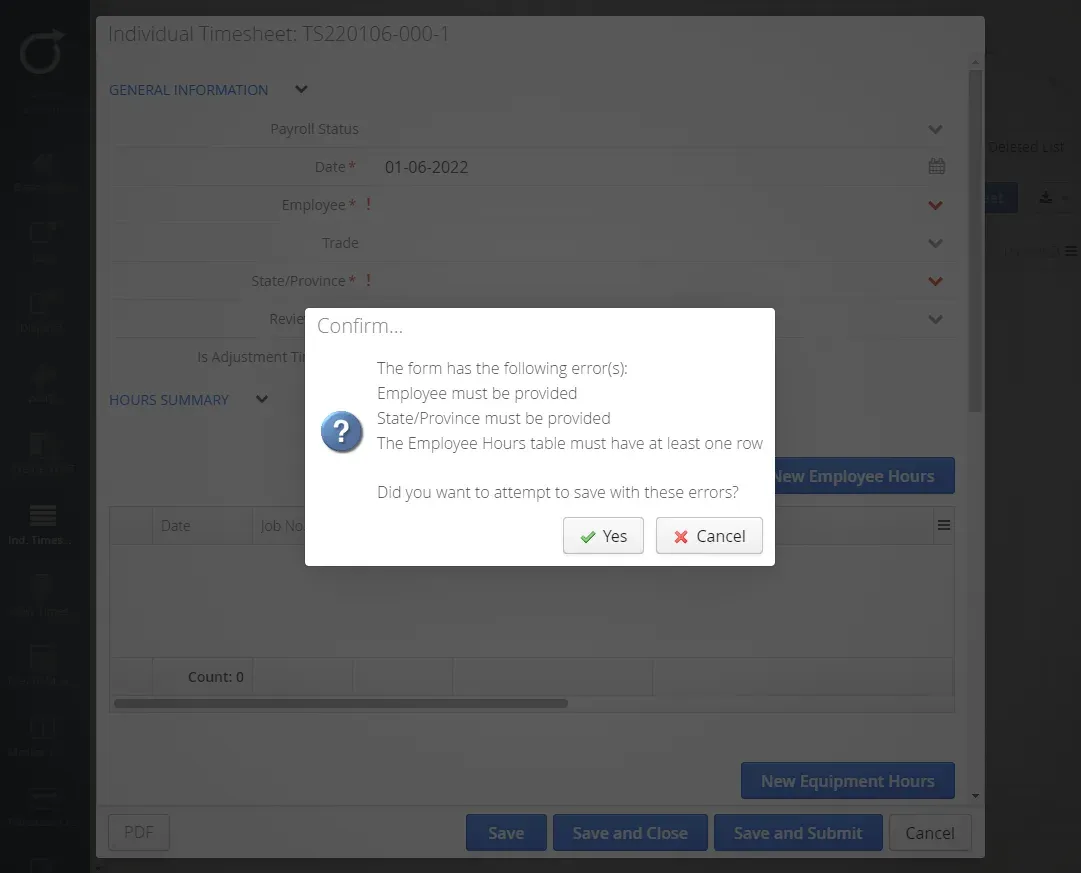
You can now save open forms, even if they have incomplete data.
Why is it important?
We heard from many of you that your job sites have bad Wi-Fi. When the Wi-Fi cuts out and you’re working on a large form, you not only lose connection, but also all the progress you’ve made on the form. These two new features will allow you to save your work as you go in case your Wi-Fi leaves you hanging.
The bottom line: Some of ya’ll’s forms are long…we don’t want you having to complete them twice.
How do I see the changes?
You will see these new features at the bottom of your forms.
Here’s where you’ll find the new Save button. Treat the new “Save” button similarly to how you treat this (
 ) button in MS Word. Use this button to save your work as you go and continue working on your form.
This is the message that will be displayed when you attempt to save a form that has incomplete data. Even if you don’t have all the info, you can save your forms to finish at a later date.
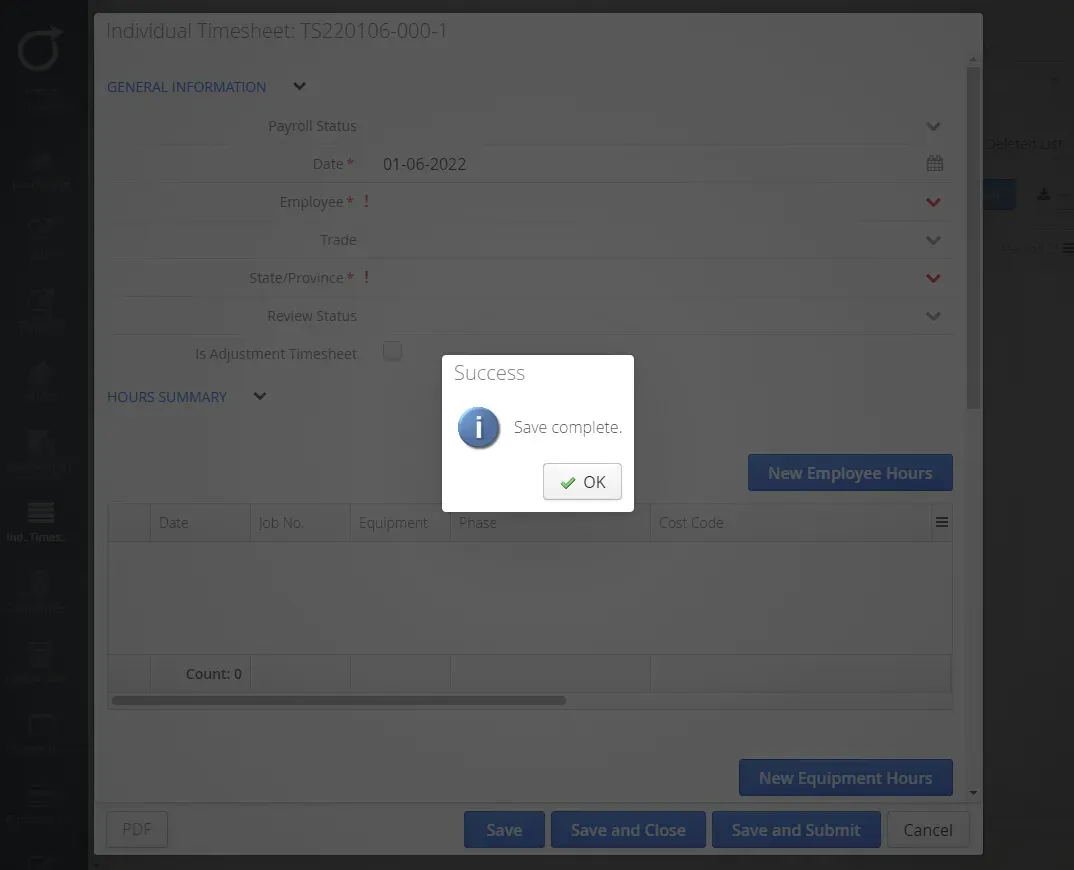
And once you click “Yes” in the above box, you’ll see this message telling you your incomplete form has been saved.
When will it be available?
This feature was included in release 22.01, available on January 13, 2022.