Access Management
Control who sees what. Down to the role.
When everyone has access to everything, mistakes happen and sensitive data leaks. Aimsio lets you set precise, role-based permissions so the right people see the right data.
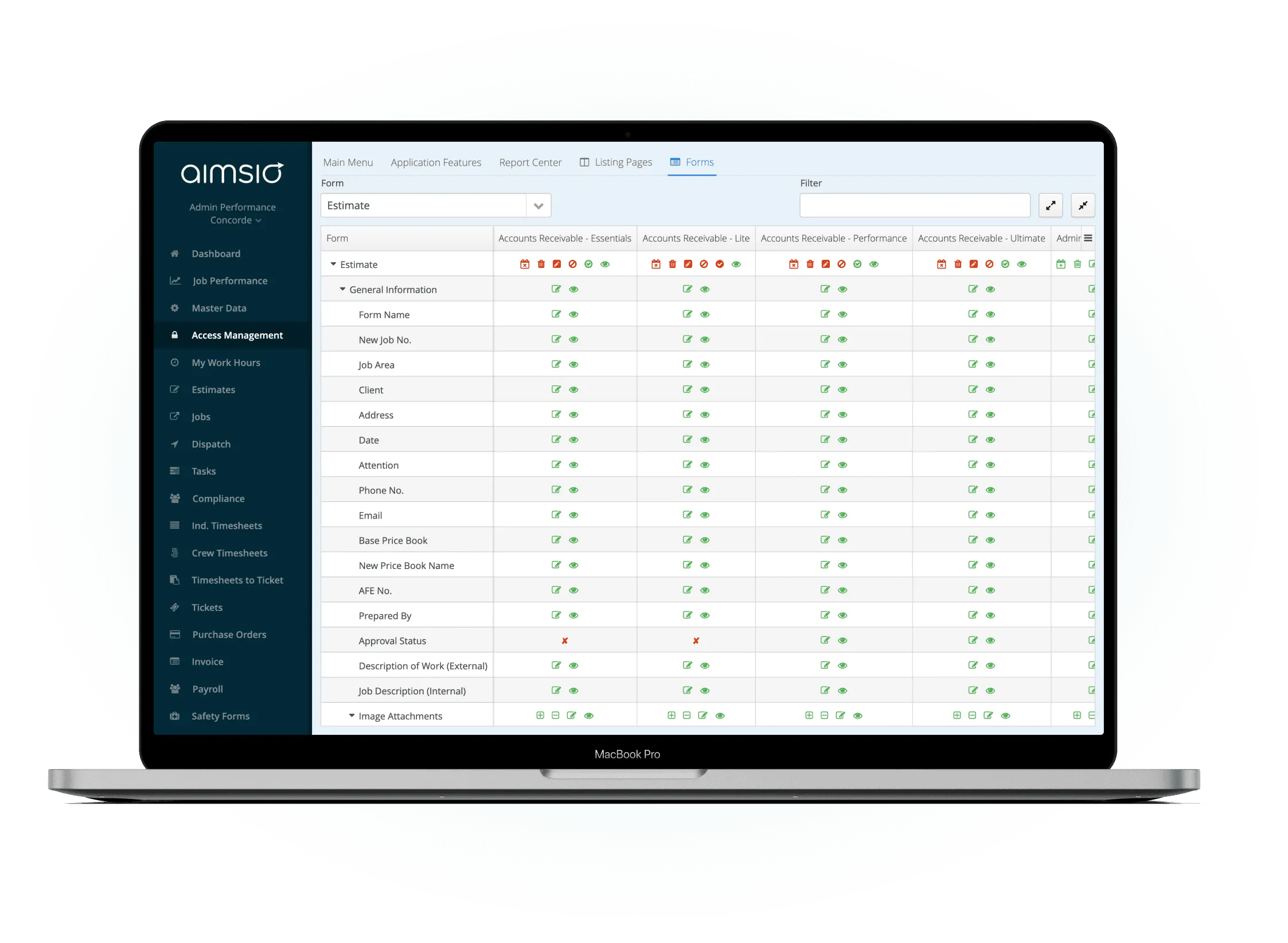
Before & After
What changes when you implement structured access control
Without structured access control
- Everyone sees everything - billing rates, client contacts, and margin data visible to field crews who don't need it.
- Anyone can approve - no workflow controls mean unauthorized approvals slip through, leading to billing errors.
- No accountability trail - when something changes, there's no record of who changed it or why.
- One-size settings hurt everyone - either too permissive for security or too restrictive for productivity.
With Aimsio Access Management
- Your sensitive data stays protected - Only the people who need access get it, based on their exact role in your operation.
- Approval workflows run themselves - Changes that need sign-off go through the right people automatically, not through email chains.
- A complete record of every action - Every login, edit, and permission change is logged so you can answer any audit question instantly.
- Permissions that match how you actually work - Custom roles mirror your org chart, not some generic template from a software vendor.
Core Capabilities
Permissions built for how your operation actually works
Control exactly who can see and do what - at every level of your organization.
Role-Based Permissions
Assign access levels to every user. from field crew to executives. Control exactly which features, records, and actions each role can use.
Field-Level Control
Hide or show individual fields on tickets, timesheets, and jobs based on role. Sensitive financial data stays out of field crew view.
User Group Management
Organize users into groups by role, region, or department. Apply permission sets once and inherit them across hundreds of users.
Action-Level Restrictions
Restrict who can approve, edit, delete, or export records. Prevent unauthorized changes without blocking day-to-day workflow.
Audit-Ready Trails
Every permission change and action is logged. Know exactly who did what and when. critical for compliance audits and disputes.
Custom Role Configuration
Build roles from scratch or start from a template. No rigid tier system. design access structures that match your org chart.
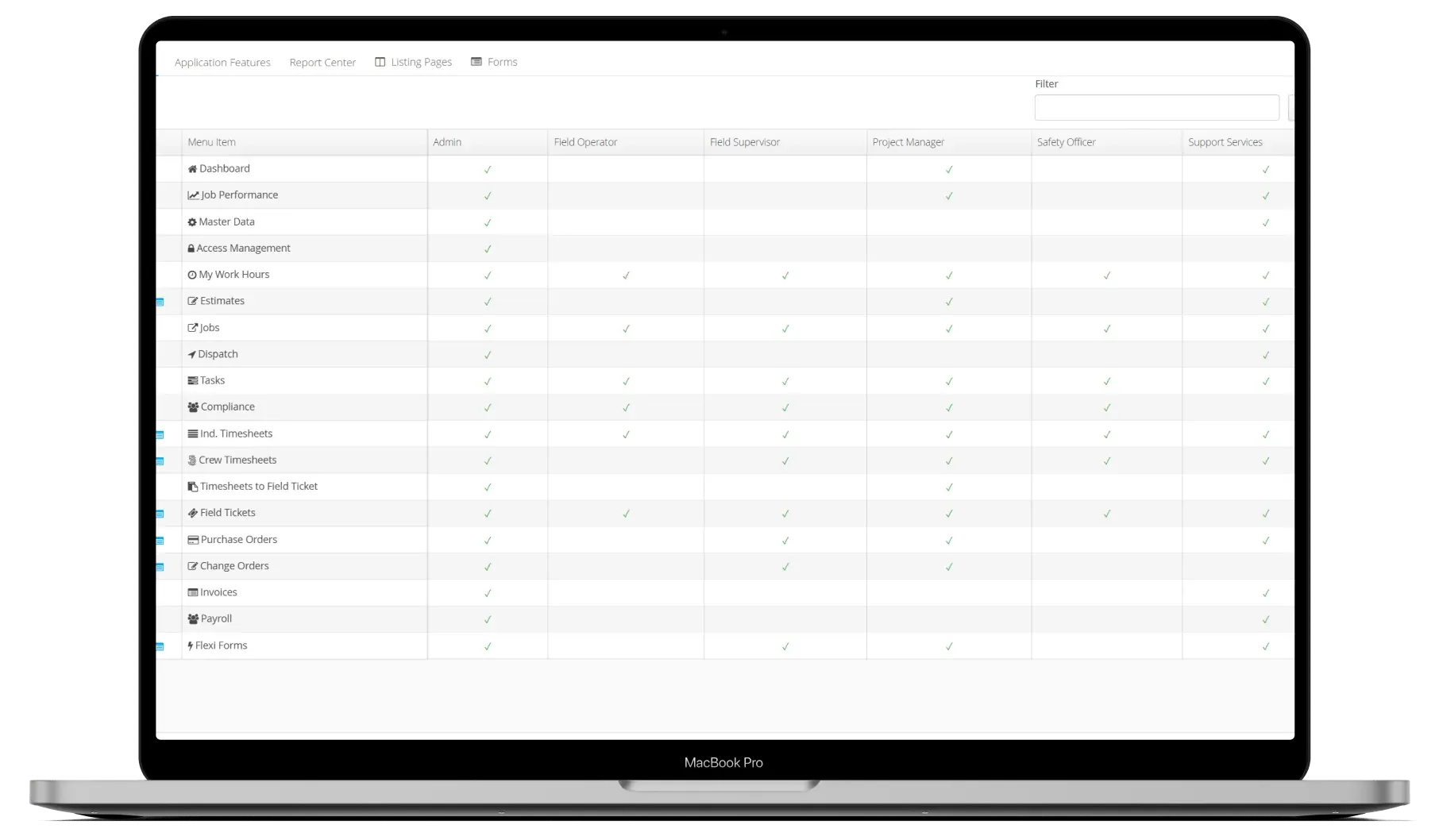
Define roles for your organization
Map your org chart into Aimsio by creating roles for each team type - field crew, supervisors, billing staff, and executives. Each role gets a tailored permission set.
- Create unlimited custom roles
- Import existing org structure
- Apply roles to individual users or groups
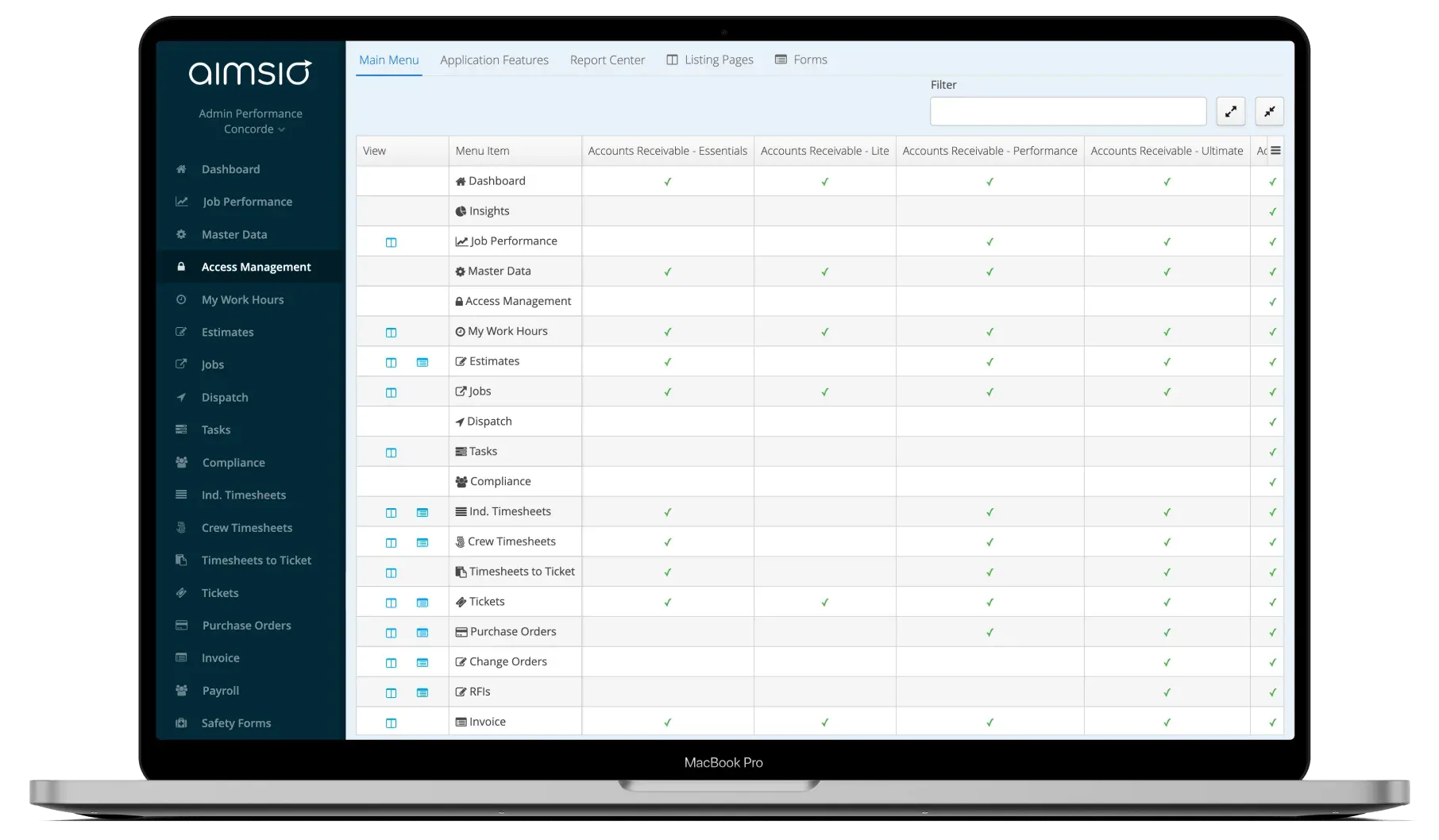
Configure permissions per feature and field
Set exactly what each role can see and do - down to individual record fields. Billing rates hidden from crew, approval actions limited to managers.
- Feature-level access (can they open this page?)
- Action-level access (can they approve, edit, delete?)
- Field-level access (can they see this data?)
Assign, audit, and adapt as you grow
Apply roles to users with a few clicks. As your team grows or org structure changes, update the role definition once and it propagates everywhere.
- Bulk role assignment by department
- Role change audit log
- Instant propagation to all assigned users
See It In Action
Access management in the platform
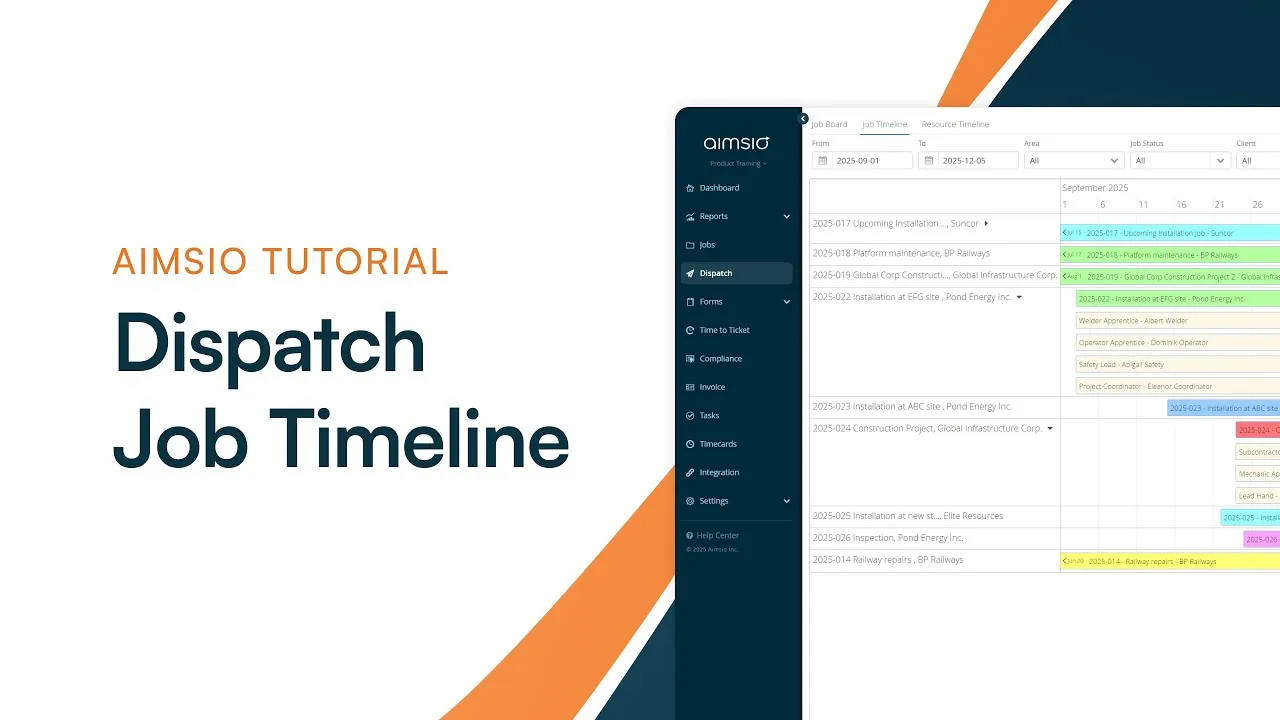
Watch how Aimsio Access Management works in a real field operations environment.
Aimsio is a great software and an even better team. They work hard to make the transition to Aimsio as smooth as possible. Their customer service is incredible. We're very happy we made the switch to Aimsio.
Integrations
Works with the tools you already use
Aimsio connects to your accounting, payroll, and ERP systems - so data flows without double-entry.
 QuickBooks Online
 Sage Intacct
 ADP
ADP Explorer Eclipse
 Sage 300
 NetSuite
 MS Nav
 MS Business Central
 Viewpoint Vista
 Acumatica
Frequently asked questions
Aimsio Access Management is a role-based permissions system that controls what each user can see and do across the platform. You define roles, assign permissions, and manage access at the feature, action, and field level - so every team member has exactly the access they need.
Yes. Field-level permissions let you hide or restrict individual fields - like billing rates, margins, or client contact details - based on the user's role. Field crews see what they need; billing staff see what they're authorized for.
There's no fixed limit. You can create as many custom roles as your organization requires, from a handful of standard roles to dozens of granular team-specific configurations.
When you update a user's role, permissions change immediately across the entire platform. There's no manual update required - the new role's settings apply the moment it's saved.
Yes. Every permission change and user action is captured in an audit log with timestamps and user identification. This supports compliance requirements and internal accountability reviews.
Absolutely. You can configure region-specific roles and restrict data visibility by location or department. This is particularly useful for companies operating across multiple provinces, states, or countries.

Ready to stop leaving
revenue in the field?
See how Aimsio can transform your operations in a 30-minute demo.