RFI Management
Get answers faster. Keep projects moving.
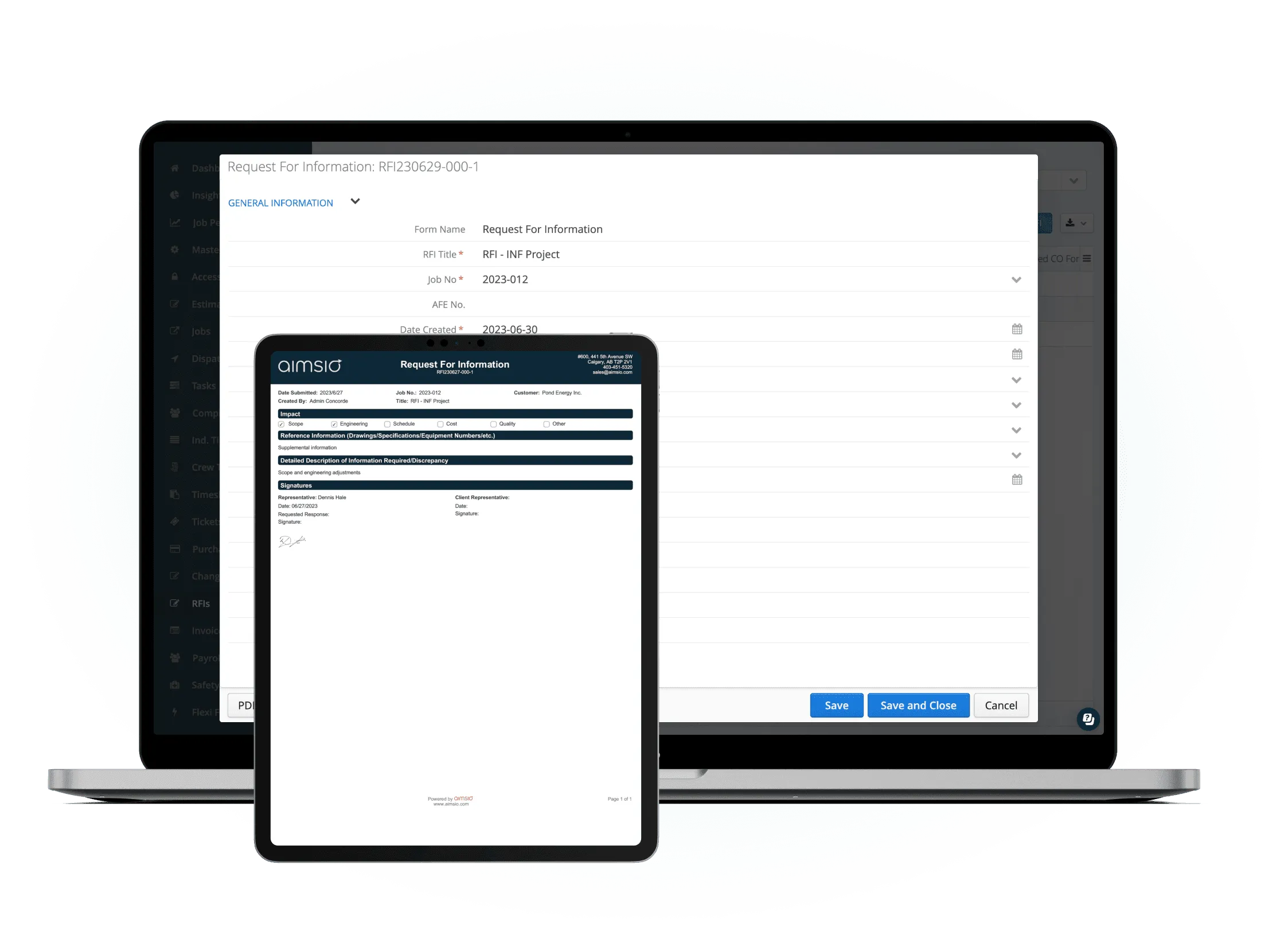
Waiting on information stalls crews and pushes timelines. Aimsio routes RFIs to the right people, tracks every response, and links them directly to change orders.
Before & After
What changes when you manage RFIs in Aimsio
Without structured RFI management
- RFIs sent via email with no tracking - requests go out and you have no idea if they were received, read, or acted on.
- Requests lost in inbox threads - follow-ups get buried, responses go missing, and decisions are made without a paper trail.
- No link between responses and change orders - approved changes aren't formalized, and scope creep goes unbilled.
- Disputes over what was communicated - without documented exchanges, he-said-she-said becomes a legal problem.
With Aimsio RFI Management
- Every question documented with full context - RFIs tracked from submission to resolution, nothing lost in email threads.
- Responses captured where they'll actually be found - Answers stay attached to the RFI, not buried in someone's inbox.
- Changes that come from RFIs flow directly to billing - Linked to change orders so additional work gets invoiced.
- A complete communication record for every project - Full audit trail that protects you if questions come up months later.
Core Capabilities
Everything your team needs to manage RFIs
One place to send, track, and close every request for information - from submission to linked change order.
RFI Creation & Tracking
Create and send requests for information in seconds. Track every RFI from submission to final response with a clear status dashboard.
Client Communication Log
Every message, response, and follow-up is captured and stored. No more hunting through inboxes for what was said and when.
Change Order Linking
Link RFI responses directly to change orders so scope changes are never lost in translation. The paper trail builds itself.
Response Deadlines
Set due dates on every RFI and get alerted before they lapse. Keep projects moving by holding everyone accountable to timelines.
Document Attachments
Attach drawings, photos, and specs directly to each RFI. Context lives with the request. not in someone's email drafts.
Status Dashboard
See all open, pending, and closed RFIs at a glance. Filter by job, client, or status to surface what needs attention right now.
How It Works
From question to documented answer
Three steps to close an RFI and protect your project.
Create the RFI from the job
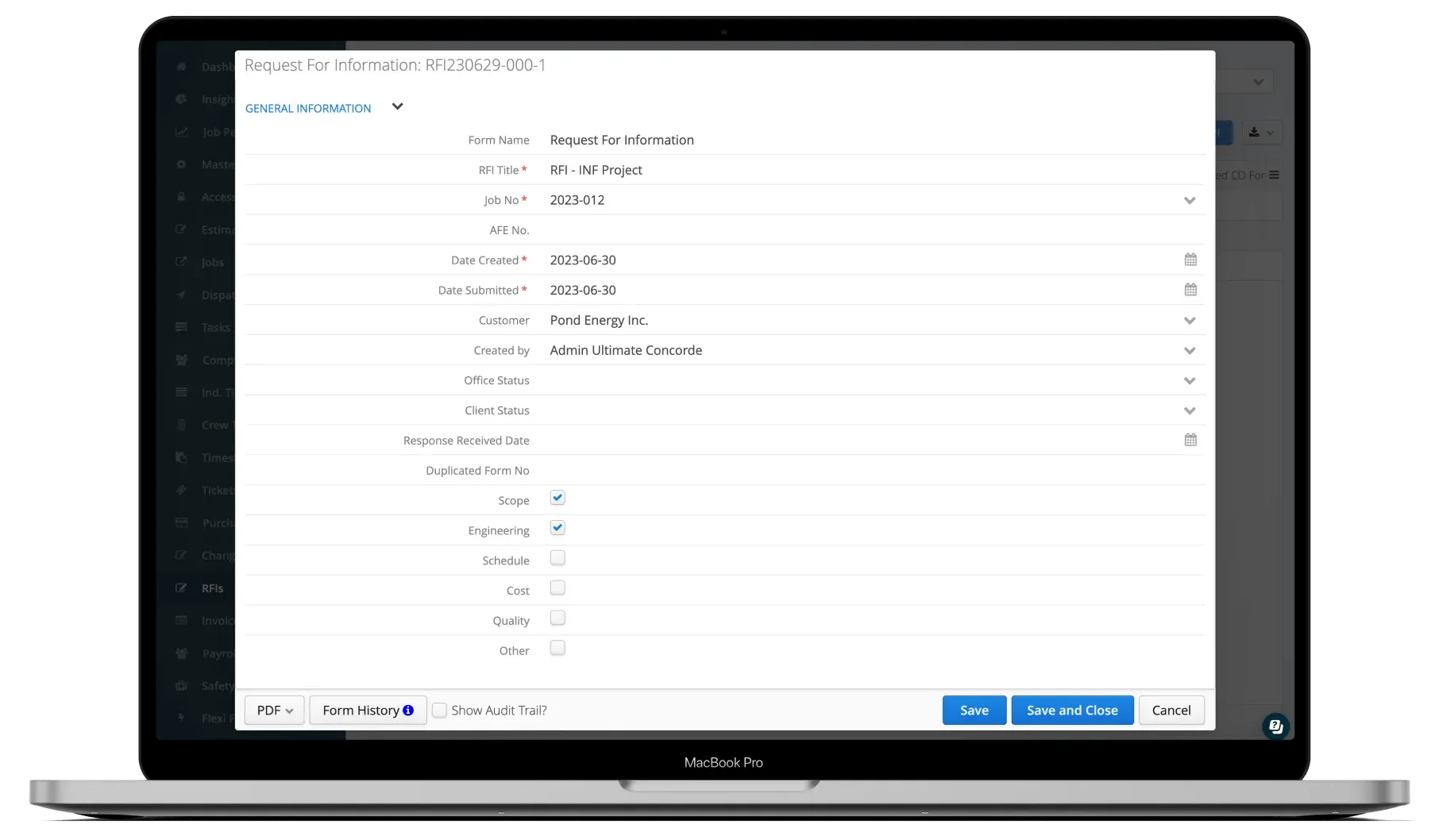
Open the job in Aimsio and create an RFI in seconds. Add context, attach drawings or photos, set a response deadline, and send - all without leaving the platform.
- Create directly from the job record
- Attach supporting documents in one click
- Set response deadline and assign recipient
Client responds digitally
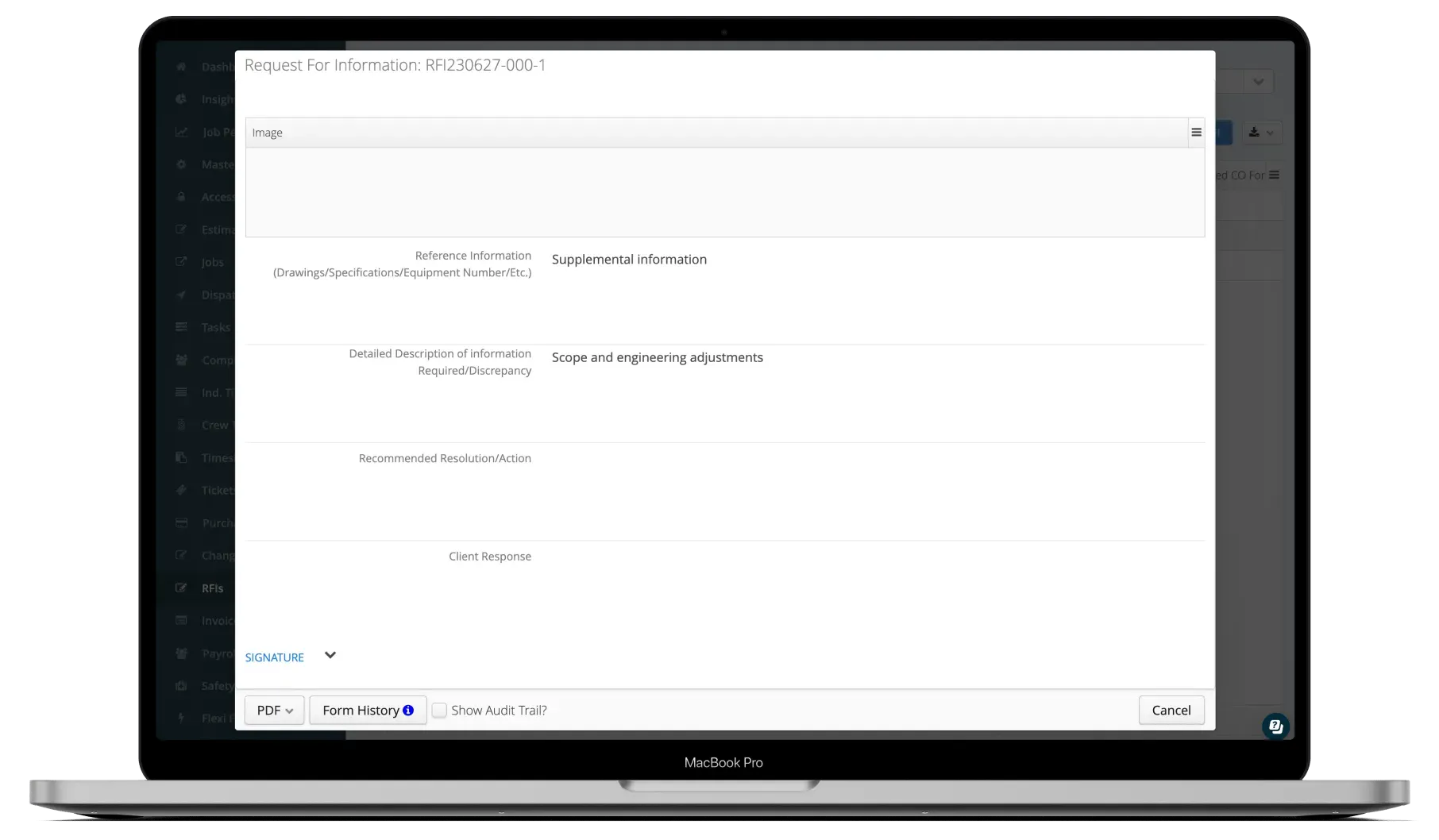
Clients receive a notification and can respond with their answer or clarification. Responses are captured automatically and stored against the RFI record.
- Digital response captured and time-stamped
- Attachments accepted in response
- Automatic notification when response arrives
Link to change order and proceed
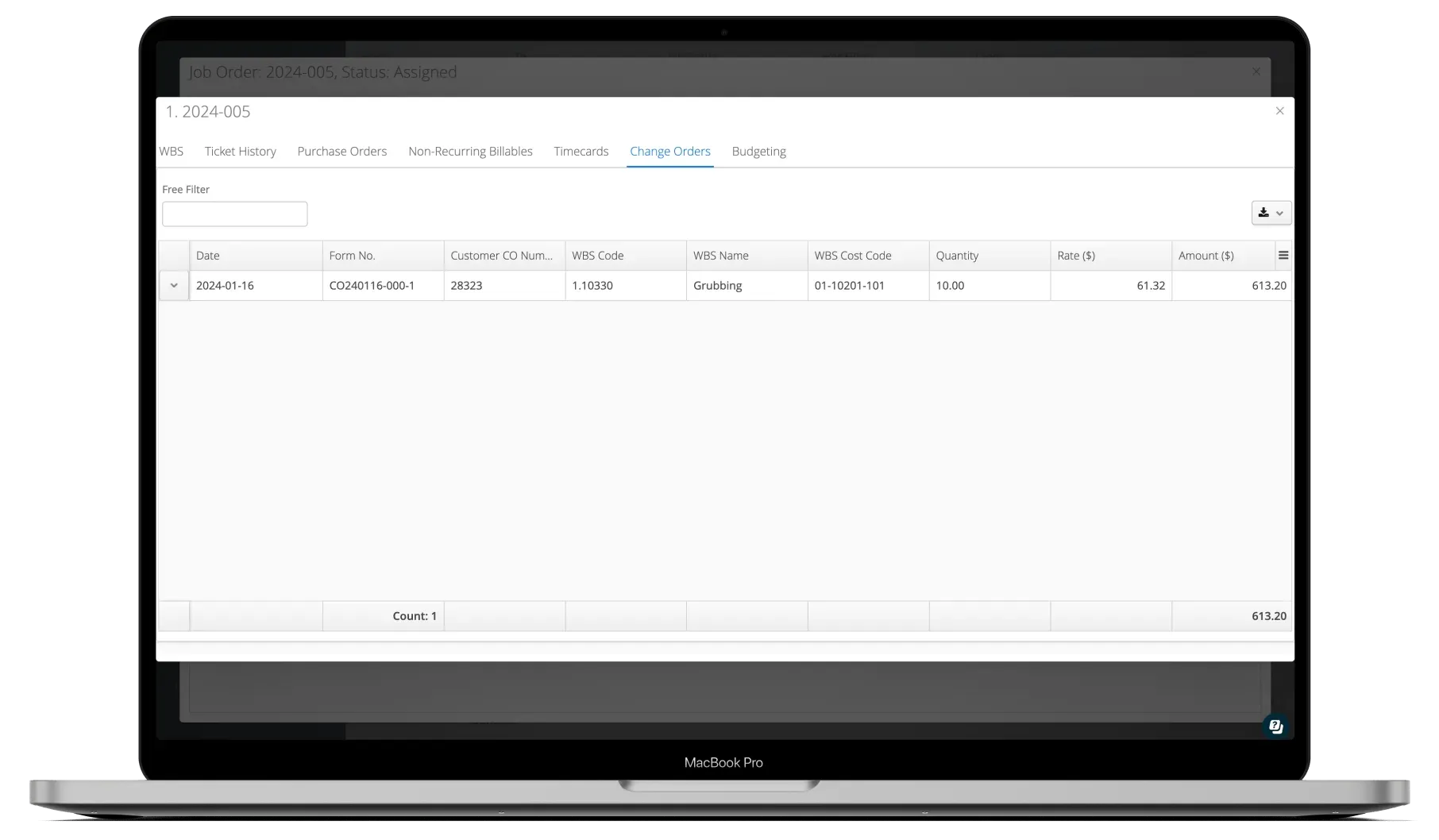
Once the RFI response approves a scope change, link it directly to a change order. Information flows through - no re-entry, no gaps, no disputes.
- One-click link to a new or existing change order
- RFI details carry through to the change order
- Complete audit trail from question to invoice
See It In Action
RFI management in the platform
Watch how Aimsio works in a real field operations environment.
Aimsio is a great software and an even better team. They work hard to make the transition to Aimsio as smooth as possible. Their customer service is incredible. We're very happy we made the switch to Aimsio.

Integrations
Works with the tools you already use
Aimsio connects to your accounting, payroll, and ERP systems - so data flows without double-entry.
 QuickBooks Online
 Sage Intacct
 ADP
ADP Explorer Eclipse
 Sage 300
 NetSuite
 MS Nav
 MS Business Central
 Viewpoint Vista
 Acumatica
Frequently asked questions
An RFI (Request for Information) is a formal written request sent from a contractor to a client or engineer asking for clarification on project details. In field operations, RFIs are used to resolve ambiguities in scope, specifications, or drawings before work proceeds - preventing costly mistakes and scope disputes.
Once an RFI response approves a scope change, you can link it directly to a new or existing change order in Aimsio with one click. The RFI details, attachments, and response history carry through to the change order - giving you a complete, defensible trail from question to billing.
Yes. Clients receive an email notification with a link to view and respond to the RFI. They don't need an Aimsio account to reply. Their response is captured automatically in the system and stored against the RFI record.
Every action on an RFI - creation, sending, response, attachment, and linkage - is timestamped and logged automatically. The full communication history is stored against each RFI and can be exported or referenced if a dispute arises. Nothing is deleted or overwritten.
Yes. Every RFI can have a response due date. Aimsio notifies the relevant parties when a deadline is approaching and when it lapses. This keeps projects moving and holds everyone accountable to timelines without constant manual follow-up.
RFI management is most common in construction, oil and gas, pipeline, industrial maintenance, and any project-based field service industry. Any operation that works to client specifications - where scope changes, clarifications, and formal communication matter - benefits from structured RFI tracking.

Ready to stop leaving
revenue in the field?
See how Aimsio can transform your operations in a 30-minute demo.