Purchase Orders
Control every dollar before it's spent.
Unapproved purchases and untracked vendor costs erode margins quietly. Aimsio enforces approval workflows and ties every PO back to the job it belongs to.
Before & After
What changes when you manage POs in Aimsio
Without structured purchase order management
- Purchases made without authorization - field supervisors order materials or engage subcontractors without formal POs, creating liability and preventing cost control.
- Vendor invoices can't be matched to POs - no PO to match against means it's impossible to confirm what was approved, received, and what should be paid.
- PO costs aren't tracked against job budgets - committed costs in open POs aren't visible, so budget overruns are discovered too late.
- Procurement status is invisible to PMs - project managers can't see what's been ordered, received, or paid without calling accounts payable.
With Aimsio Purchase Orders
- Every purchase approved before it reaches a vendor - No more after-the-fact surprises when invoices arrive for unapproved spending.
- Discrepancies caught automatically - Three-way matching flags mismatches between POs, receipts, and invoices before you pay.
- Procurement costs included in real-time job tracking - Committed spend appears in job costing the moment a PO is approved.
- Full visibility into what's been ordered, received, and paid - Per-job procurement history in one place, no digging through emails.
Core Capabilities
Every dollar of procurement authorized and tracked
From requisition to receipt to payment - full control over field procurement spend.
PO Creation
Create purchase orders for materials, subcontractors, and equipment rentals directly within Aimsio. Link every PO to a job so costs are tracked from the start.
Approval Workflow
Route POs through a configurable approval chain before they reach vendors. No unauthorized spend leaves the organization without sign-off.
Three-Way Match
Match vendor invoices against the original PO and goods receipt. Discrepancies are flagged automatically. only verified invoices proceed to payment.
Committed Cost Visibility
Open POs represent committed costs before invoices arrive. Aimsio includes these in job cost tracking so cost-to-complete is always accurate.
Job-Level PO Tracking
Every PO is linked to a job. See all open, approved, received, and invoiced POs in one view. full procurement visibility without chasing accounts payable.
Vendor Management
Track PO history per vendor across all jobs. Monitor spend patterns, payment status, and outstanding commitments from a single dashboard.
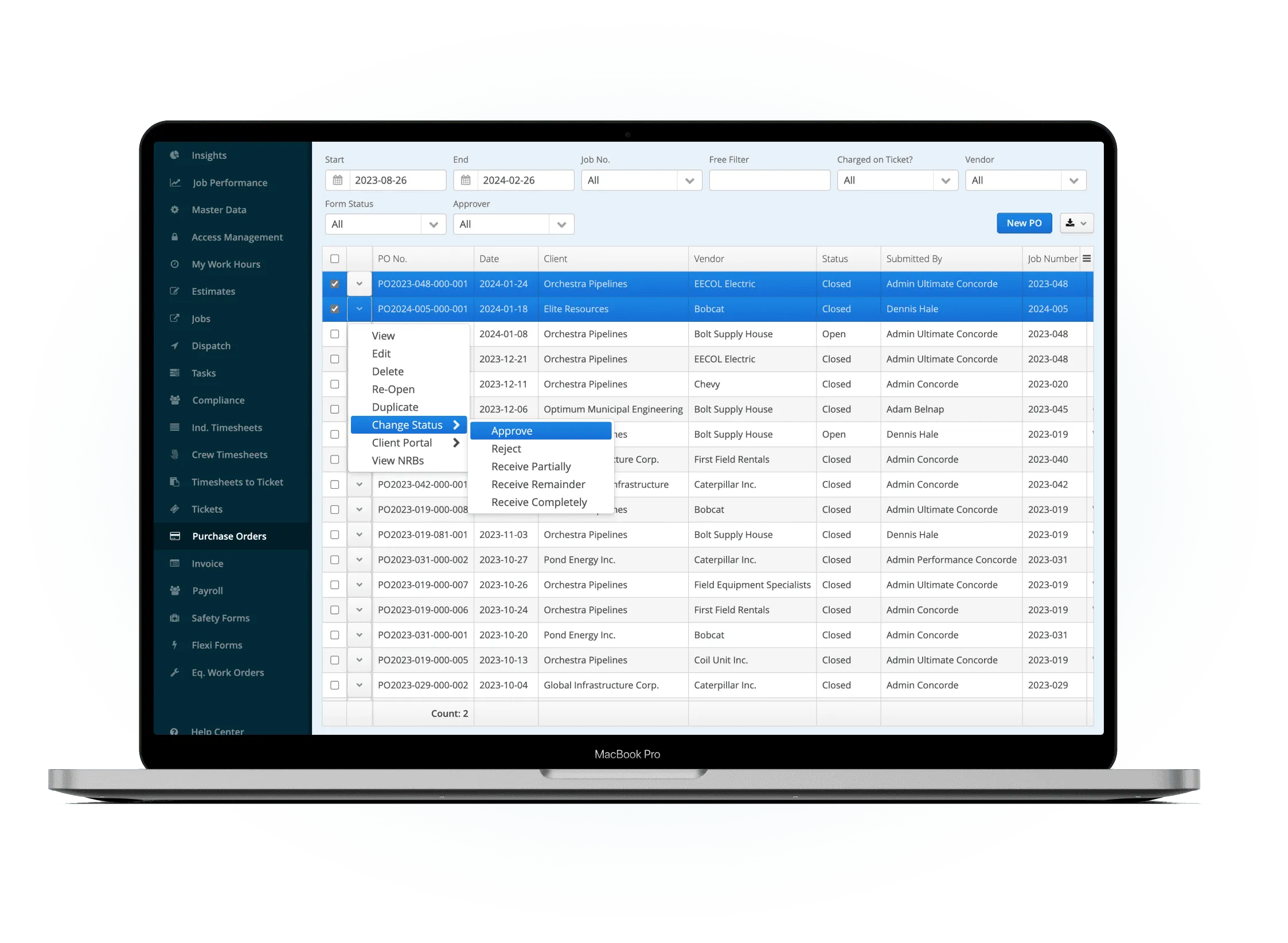
Create and submit a purchase order
Build a PO for materials, subcontractor work, or equipment rentals. Link it to a job, add line items with quantities and rates, and submit it for approval through the configured workflow.
- Linked to a specific job from creation
- Configurable approval chain
- Committed cost tracked immediately
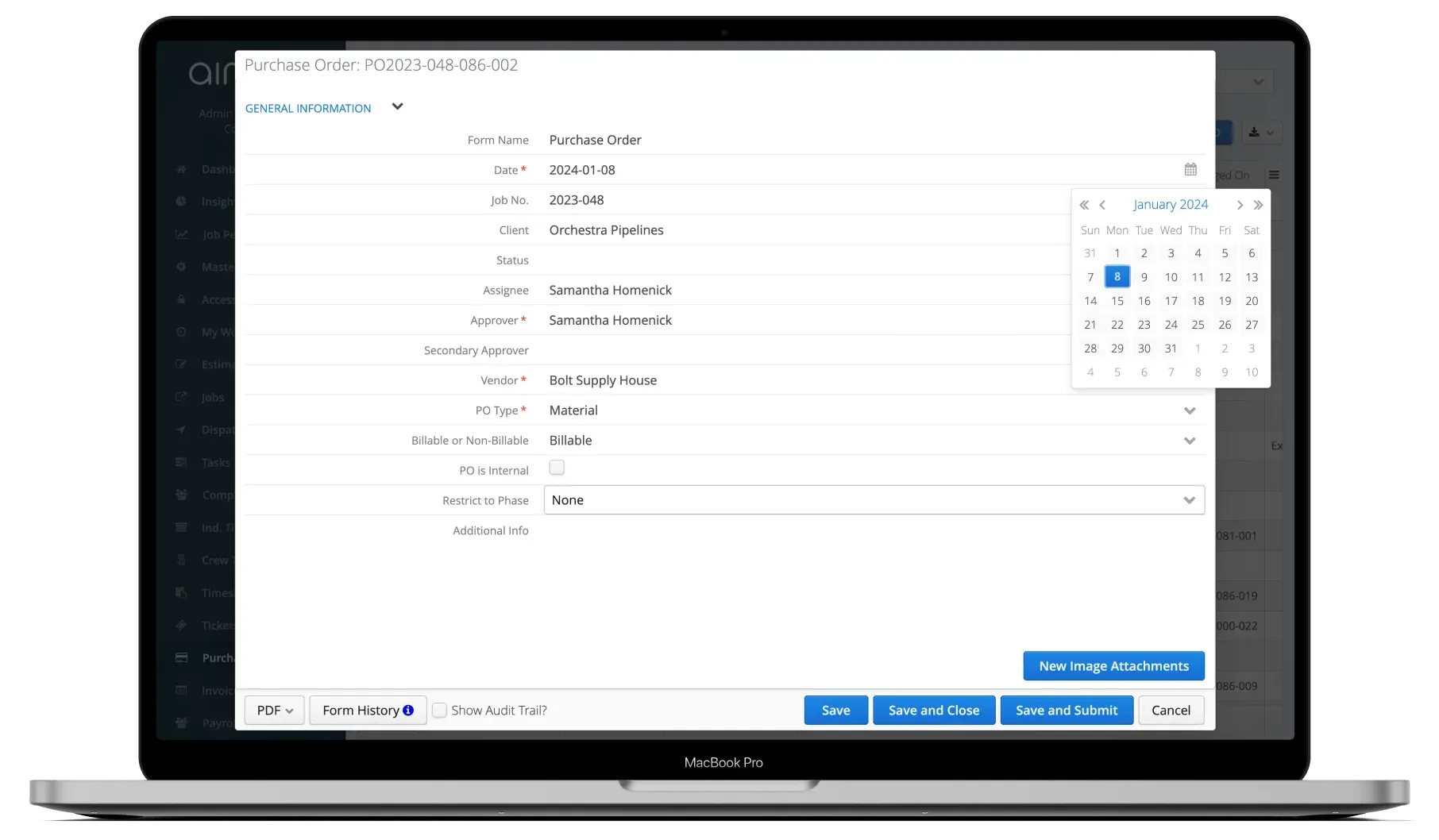
Review, approve, and issue to vendor
Approvers review the PO details, verify the job assignment and budget impact, then approve or reject. Once approved, the PO is issued to the vendor with a complete audit trail.
- Multi-level approval workflow
- Full audit trail on every action
- Budget impact visible before approval
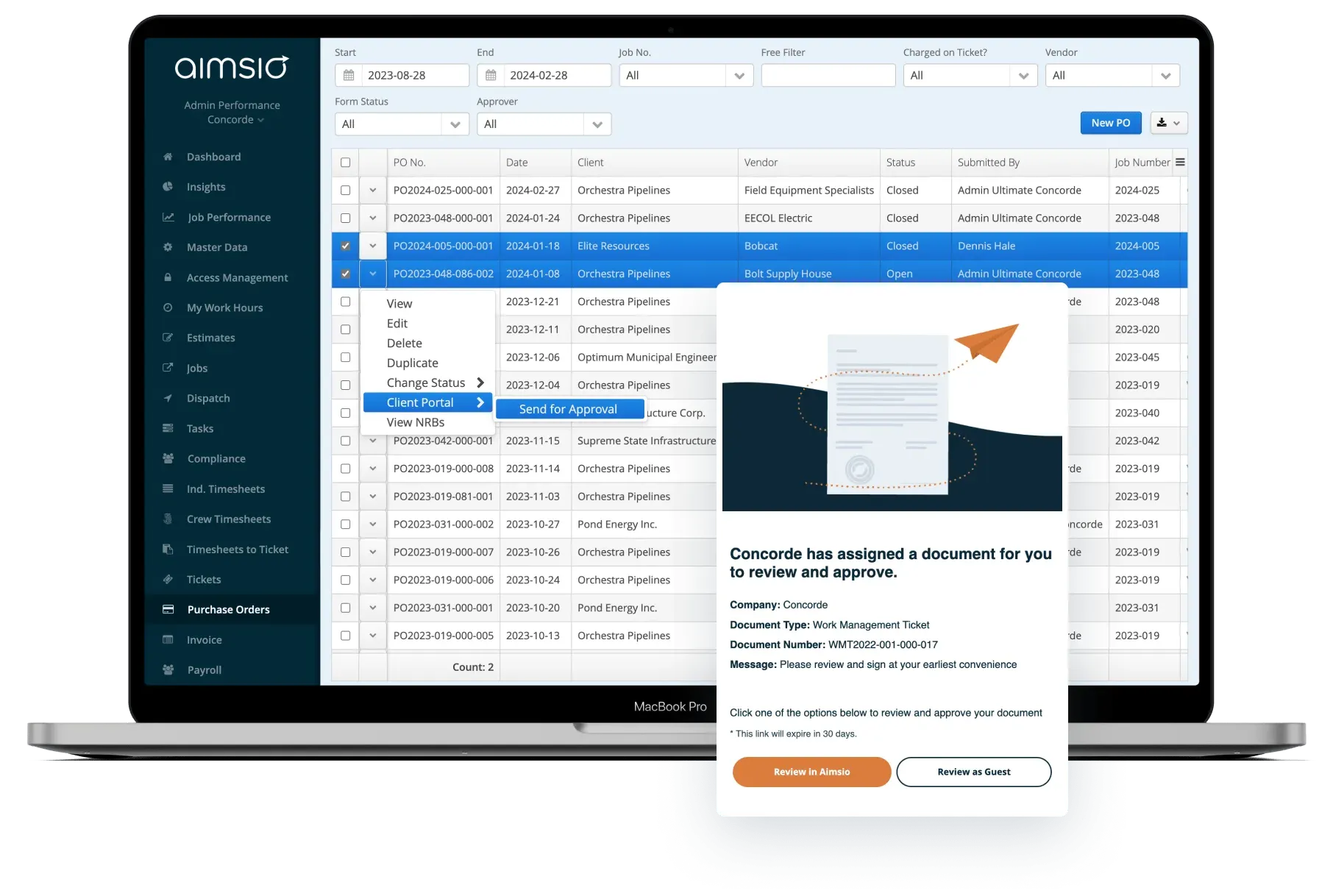
Match invoices and close the loop
When vendor invoices arrive, Aimsio matches them against the original PO and receipt records. Discrepancies are flagged, matched invoices proceed to payment, and costs roll into job reporting.
- Three-way match: PO, receipt, invoice
- Discrepancies flagged automatically
- Costs roll into job costing reports
See It In Action
Purchase Orders in the platform
Watch how Aimsio purchase orders work in a real field operations environment.
With Aimsio, I can generate purchase orders seamlessly, ensuring that all expenses remain organized, transparent, and easy to track across our offices. Since I have started using Aimsio, I have processed over $1.7 million in purchase orders.
Integrations
Works with the tools you already use
Aimsio connects to your accounting, payroll, and ERP systems - so data flows without double-entry.
 QuickBooks Online
 Sage Intacct
 ADP
ADP Explorer Eclipse
 Sage 300
 NetSuite
 MS Nav
 MS Business Central
 Viewpoint Vista
 Acumatica
Frequently asked questions
A purchase order in Aimsio is a formal authorization to procure materials, subcontractor services, or equipment for a specific job. It captures line items, quantities, rates, and vendor details. POs flow through an approval workflow before being issued, and their costs are tracked against job budgets from the moment they're created.
When a vendor invoice arrives, Aimsio compares it against the original purchase order and the goods receipt record. The system checks that what was ordered matches what was received and what is being billed. Any discrepancies in quantities, rates, or line items are flagged for review before payment proceeds.
Yes. Aimsio supports configurable approval chains for purchase orders. You can define who needs to approve POs based on your organization's requirements, ensuring the right people sign off before any spend is committed to a vendor.
Open POs represent committed costs - money your organization has agreed to spend even if the vendor invoice hasn't arrived yet. Aimsio includes these committed PO costs in your job cost tracking, so the cost-to-complete figure reflects the full financial picture, not just what's already been invoiced.
Aimsio purchase orders can be created for materials, subcontractor services, and equipment rentals. Each PO is linked to a specific job and can include multiple line items with quantities, unit rates, and descriptions. This covers the full range of procurement needs for field operations projects.
Aimsio integrates with QuickBooks, Sage Intacct, Sage 300, NetSuite, MS Business Central, and other accounting and ERP systems. PO-related costs and invoice data can flow into your accounting system without manual re-entry, keeping procurement records consistent across platforms.
Ready to stop leaving
revenue in the field?
See how Aimsio can transform your operations in a 30-minute demo.