Job Performance Reporting
Reports from live data. Not last month's spreadsheet.
Pulling numbers from multiple systems into a report takes days. Aimsio generates performance reports from live field data, updated as work happens.
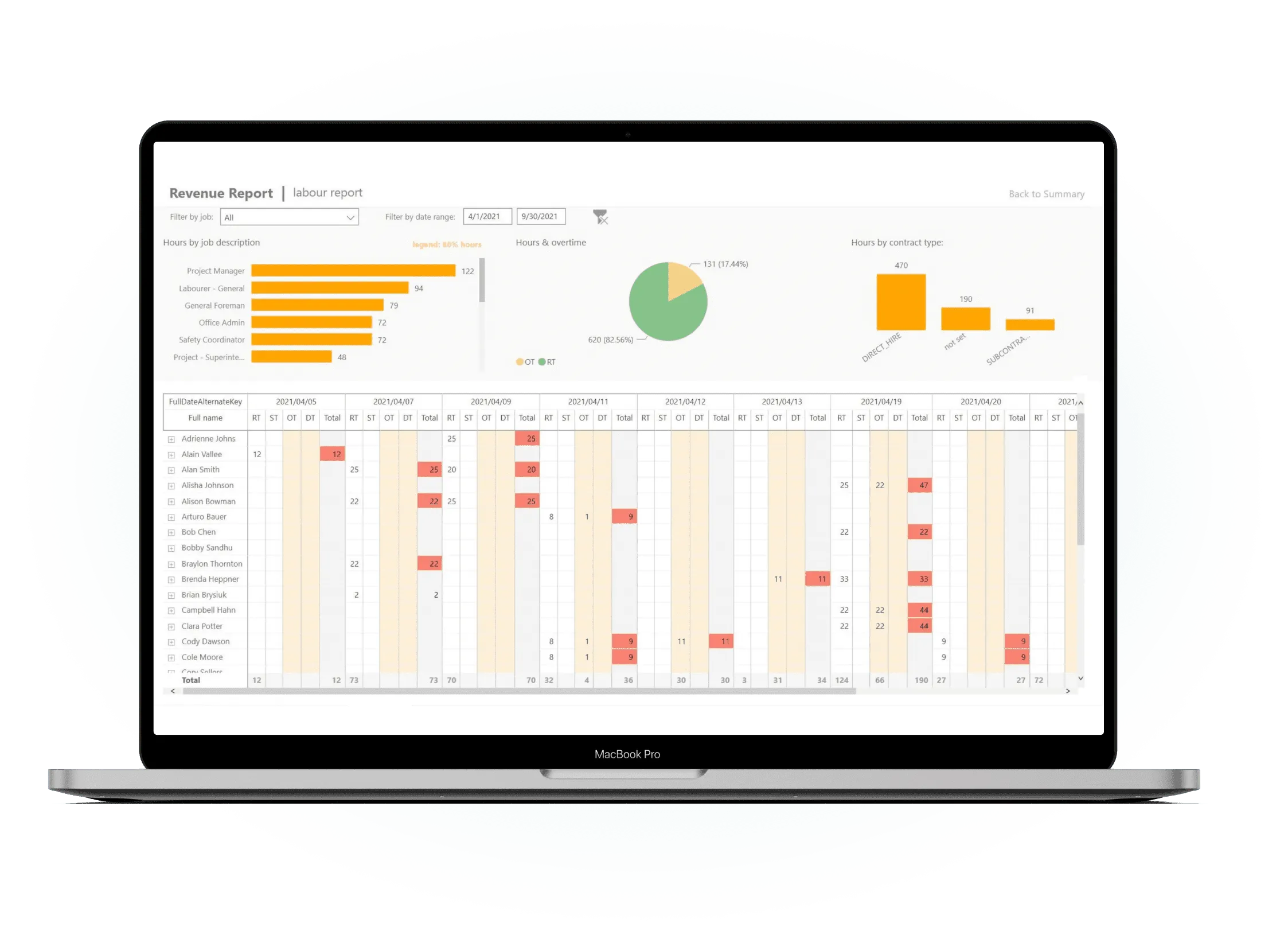
Before & After
What changes when you switch to Aimsio
Without live job performance reporting
- Performance reports take days to compile and are already outdated by the time leadership sees them.
- Data pulled manually from multiple systems - timesheets from one place, costs from another, billing from a third.
- Leadership sees aggregated numbers with no drill-down - no way to understand what is driving the performance.
- No standard report format - every manager builds their own version, making comparison across jobs impossible.
With Aimsio Job Performance Reporting
- Reports generated from live data in seconds - No more pulling numbers from multiple systems and assembling them by hand.
- One consistent format across every project - Standardized reports mean leadership compares apples to apples.
- Drill from summary to the underlying field ticket - Click through any number to see exactly where it came from.
- Trends visible across your entire portfolio - Profitability patterns and variance trends in one view for better decisions.
Core Capabilities
Everything you need for live performance reporting
Stop waiting for someone to compile a report. Get job performance data the moment you need it - straight from the field.
Live Performance Reports
Generate job performance reports instantly from live field data. no waiting for someone to pull numbers from multiple systems and compile them manually.
Variance Analysis
See variance between budgeted and actual costs at the job level, phase level, and line-item level. so you know exactly what is driving overruns.
Profitability Trends
Track profitability trends across jobs and time periods. Identify which job types, clients, and crews consistently deliver the best margin.
Portfolio-Level View
See performance across your entire project portfolio in a single dashboard. sort by margin, variance, or completion status to focus your attention.
Custom Report Filters
Filter performance reports by job, date range, client, crew, phase, or cost category. Get the exact slice of data you need without exporting to spreadsheets.
Exportable Data
Export job performance reports to CSV or PDF for client review, executive presentations, or integration with your accounting and ERP systems.
How It Works
From live data to executive-ready reports
Select your reporting period and jobs
Choose the date range, jobs, or portfolio you want to report on. Filter by client, phase, cost category, or crew to get the exact view you need.
- Filter by date, job, client, or crew
- Single-job or portfolio-level reporting
- Compare multiple time periods side by side
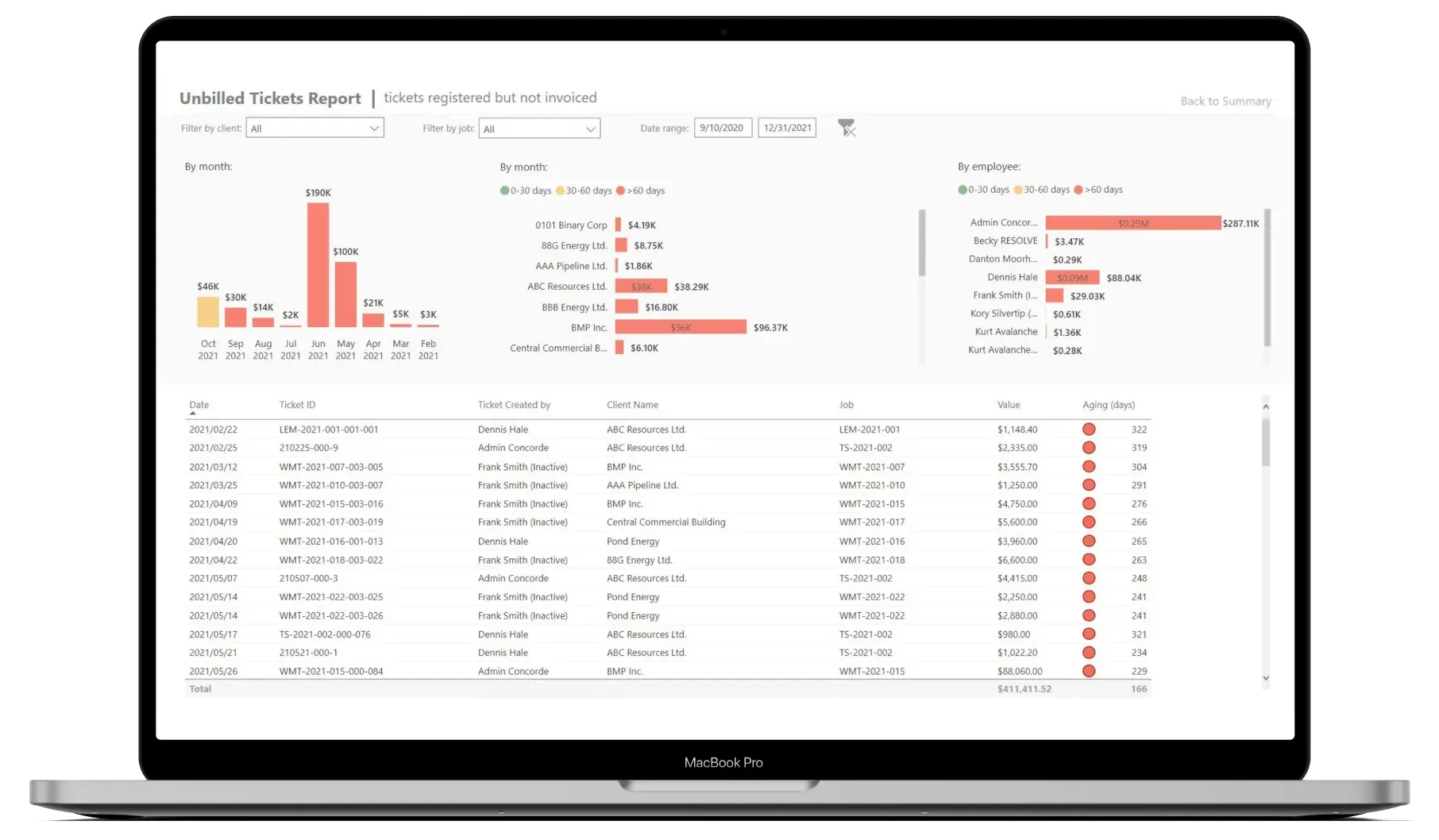
Report generated from live field data
Aimsio pulls from the same live database your field crews are updating in real time. Reports reflect the current state of every job - not a static export from last Tuesday.
- No manual data export or compilation
- Reports always reflect current field reality
- Variance calculated automatically per phase and job
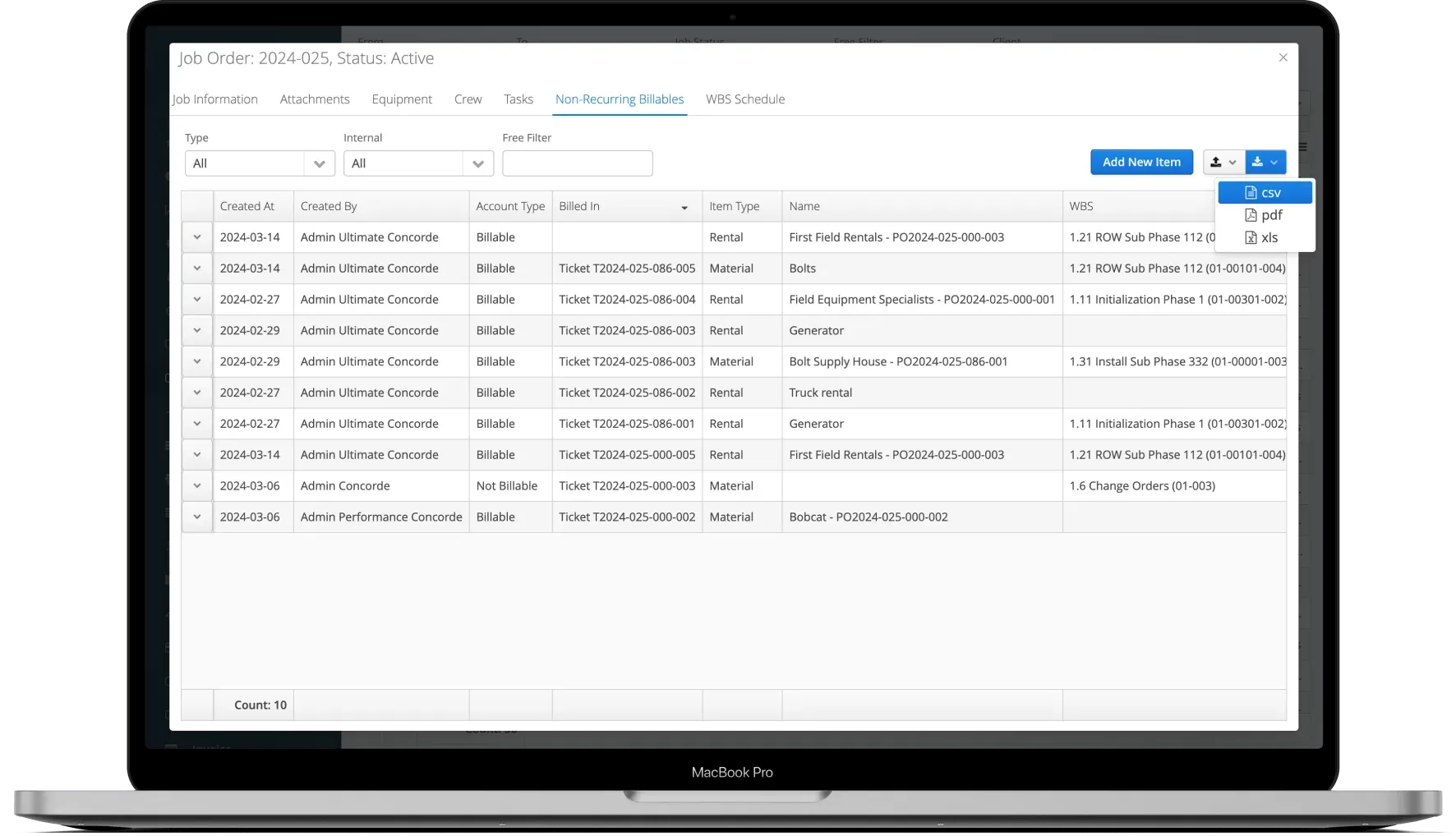
Share with leadership or export to CSV
Share reports directly from Aimsio via link or export to CSV or PDF. Client-ready or executive-ready formats available for any audience.
- Export to CSV, PDF, or share via link
- Client-ready and executive summary formats
- Integrates with Power BI for deeper analytics
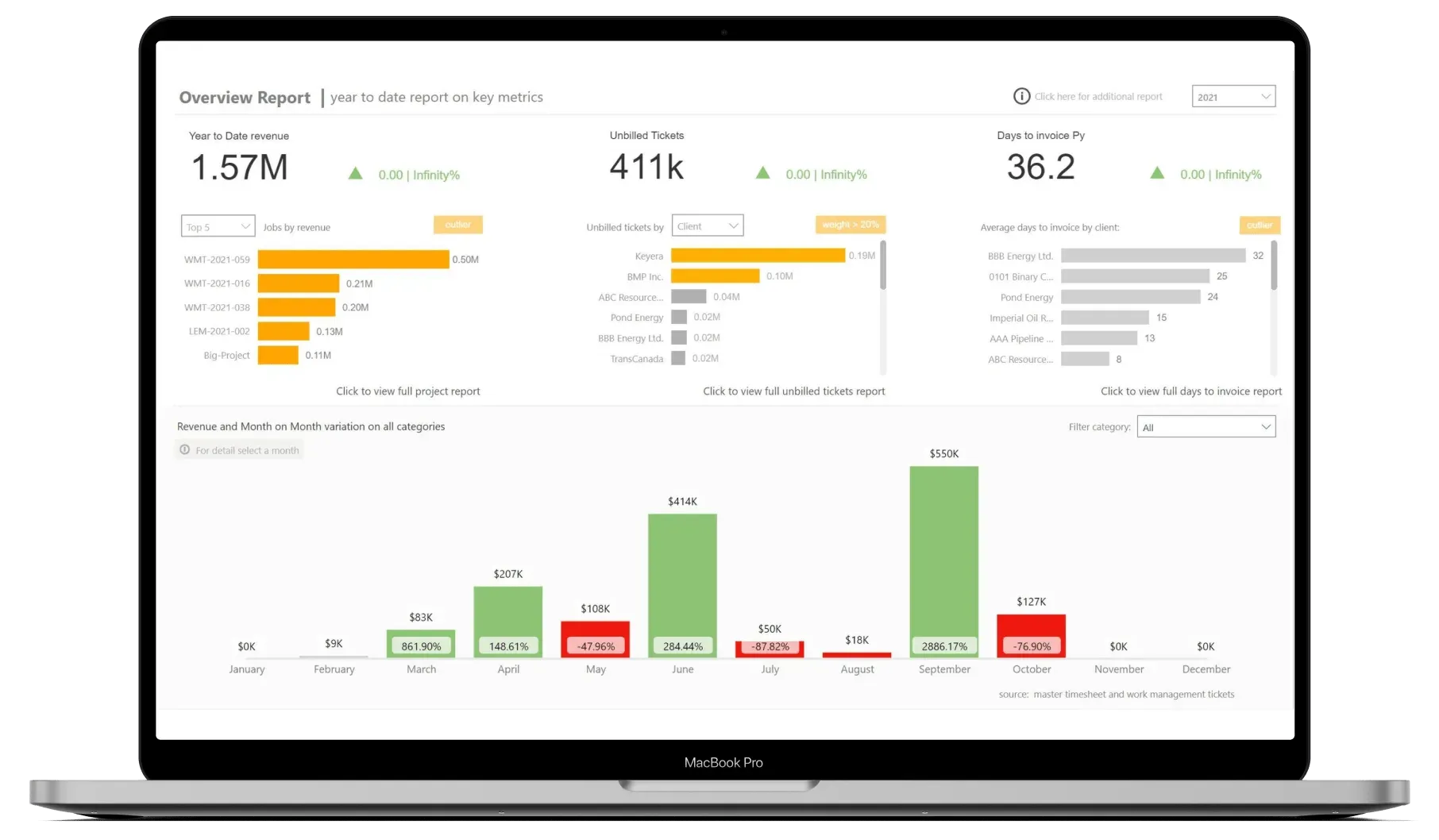
See It In Action
Job performance reporting in the platform
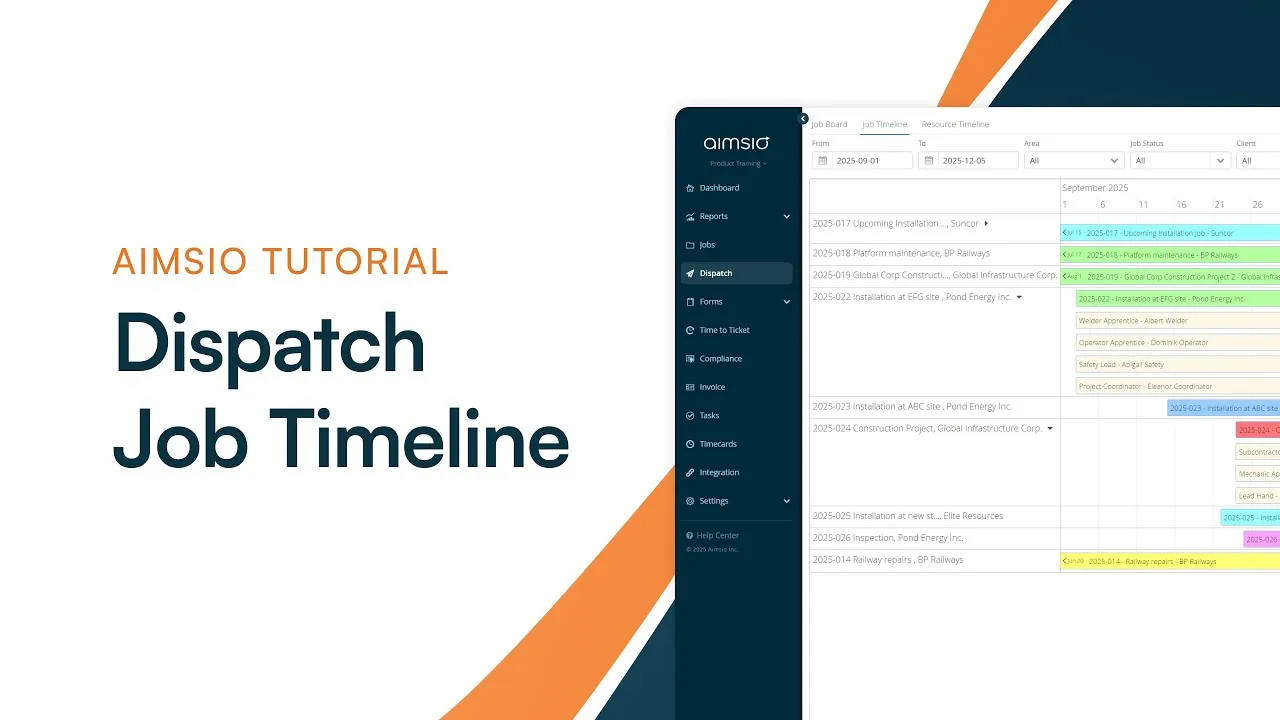
Watch how Aimsio generates performance reports from live field data in real time.
Before using Aimsio, our data was scattered across numerous spreadsheets. We used to spend days putting together reports. Now, we're able to track costs to jobs and know where we're at compared to budget.

Integrations
Works with the tools you already use
Aimsio connects to your accounting, payroll, and ERP systems - so data flows without double-entry.
 QuickBooks Online
 Sage Intacct
 ADP
ADP Explorer Eclipse
 Sage 300
 NetSuite
 MS Nav
 MS Business Central
 Viewpoint Vista
 Acumatica
Frequently asked questions
Aimsio Job Performance Reporting generates detailed reports on job profitability, actuals vs budget, and variance - directly from live field data. Reports can cover a single job, a phase, or your entire project portfolio, and are updated in real time as field work is captured.
Reports are generated instantly. There is no data export, no manual aggregation, and no waiting for someone to compile numbers from multiple systems. The moment you open the reporting dashboard, you are looking at current data.
Yes. Aimsio's reporting filters let you slice performance data by job, client, crew, cost category, WBS phase, or date range. You can compare multiple time periods side by side or drill down to a specific job phase for granular analysis.
Yes. You can share performance reports via a direct link or export them to CSV or PDF for external distribution. Executive summary formats and client-ready exports are available so you can tailor the output to the audience.
Yes. Aimsio has an embedded Power BI integration that provides deeper analytics on job performance, revenue trends, KPIs, and more - all connected to the same live data source that powers your field operations.
Aimsio lets you save report configurations so you can reproduce the same view quickly. For recurring executive or client reporting, your saved filters and formats are available on demand - no rebuilding required every week.
Ready to stop leaving
revenue in the field?
See how Aimsio can transform your operations in a 30-minute demo.