Abbas Sarraf
Improvements we made to the user interface of the invoice window.
What is it?
With the most recent Aimsio release, we improved how the invoice window works and looks. There are four ways in which we improved it:
-
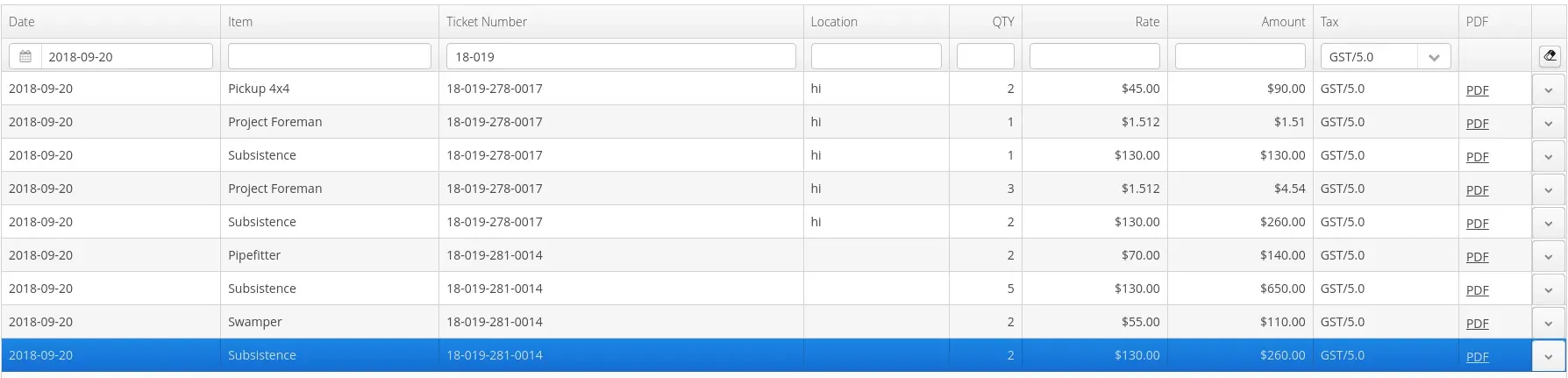
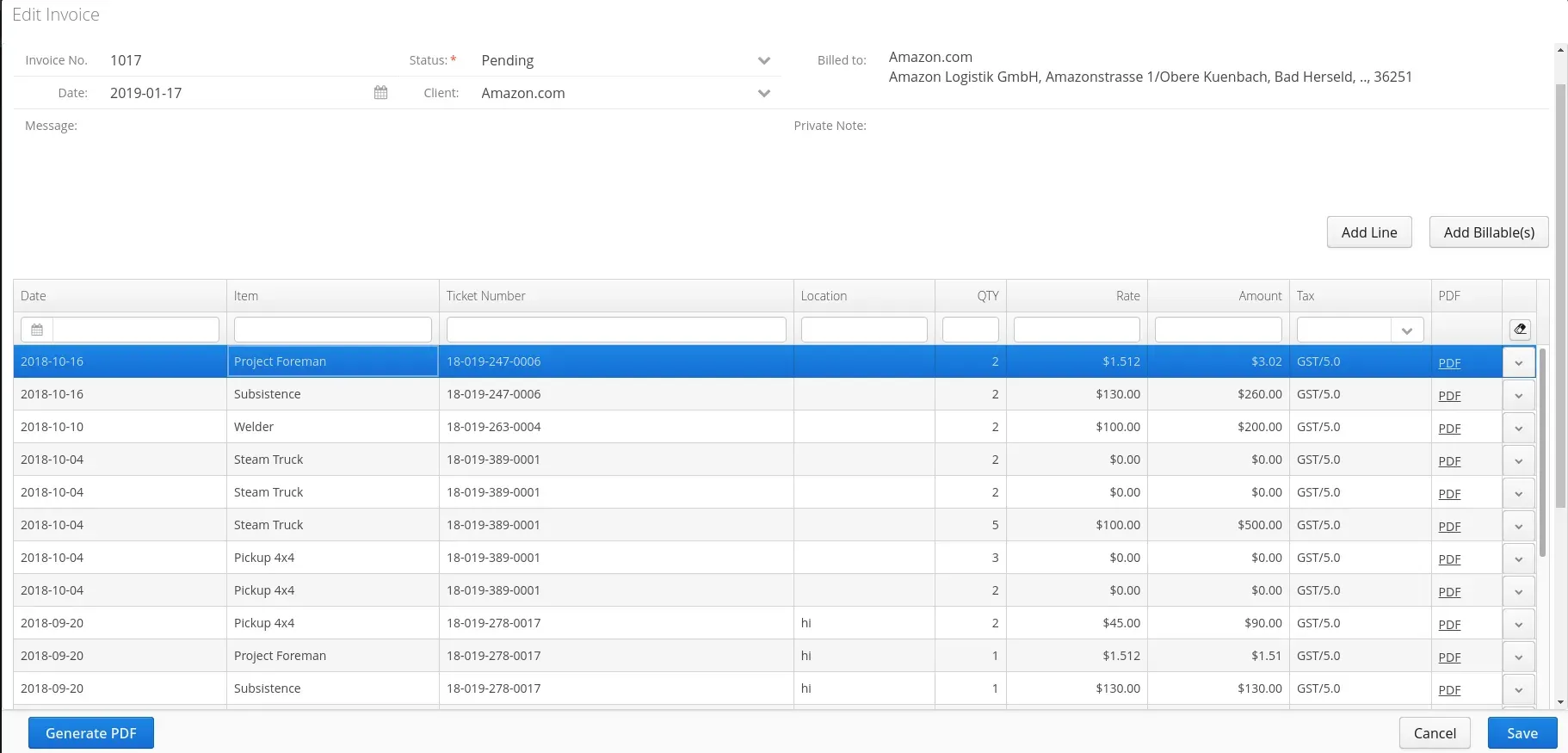
The addition of a filter for easy searching of specific invoices.
-
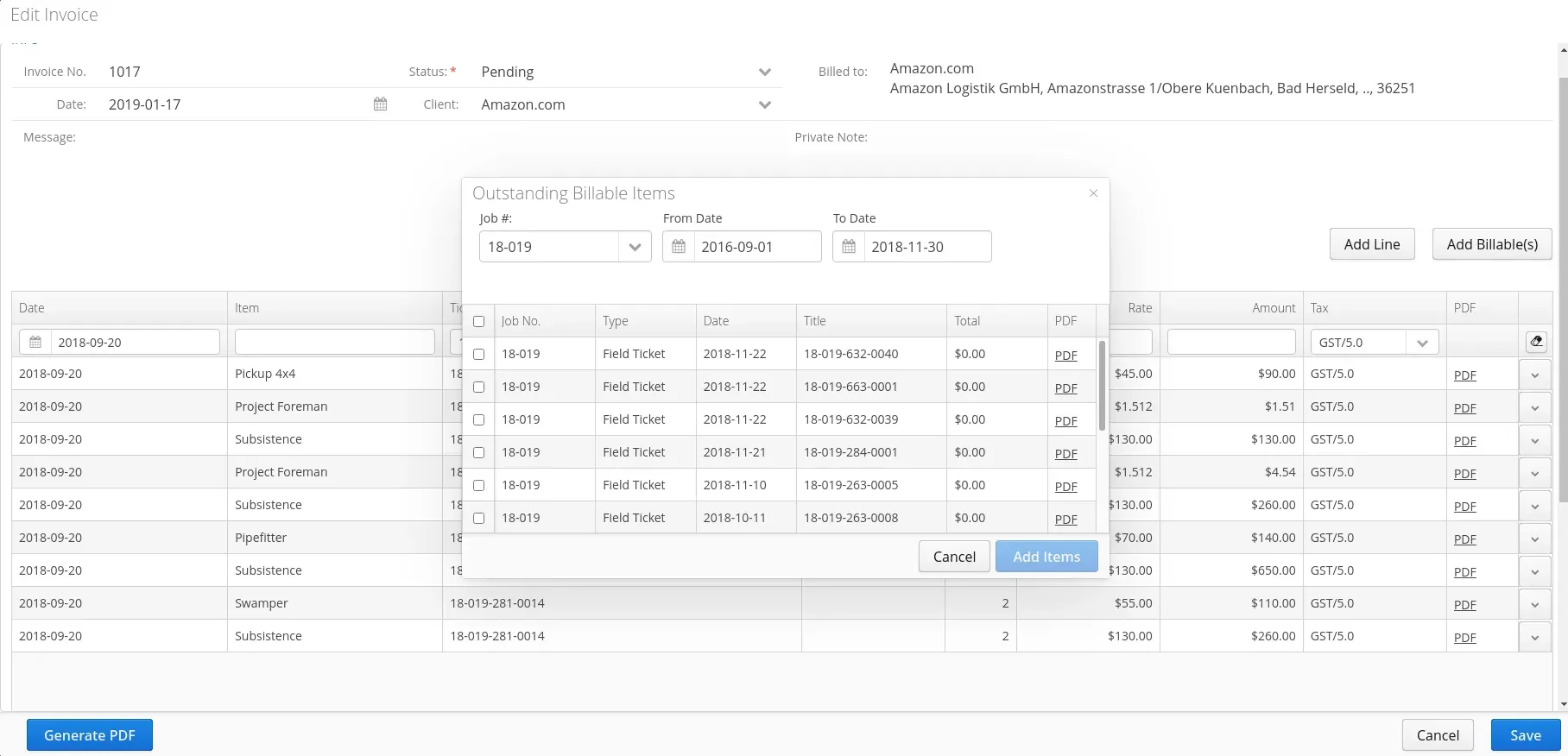
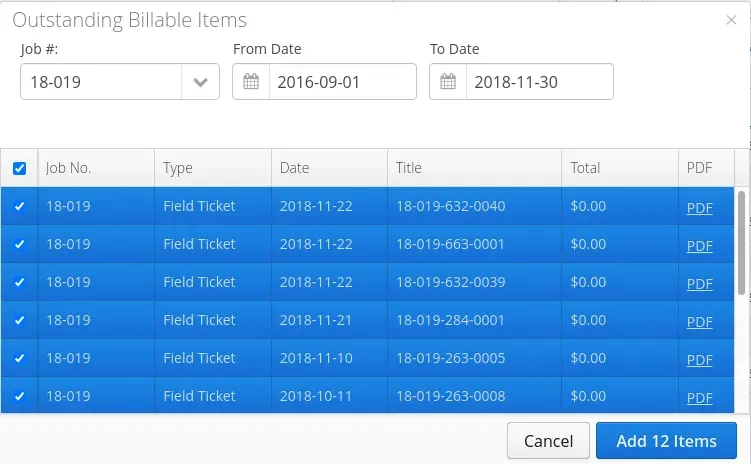
Instead of dragging and dropping billable items, you can now check them from a list.
-
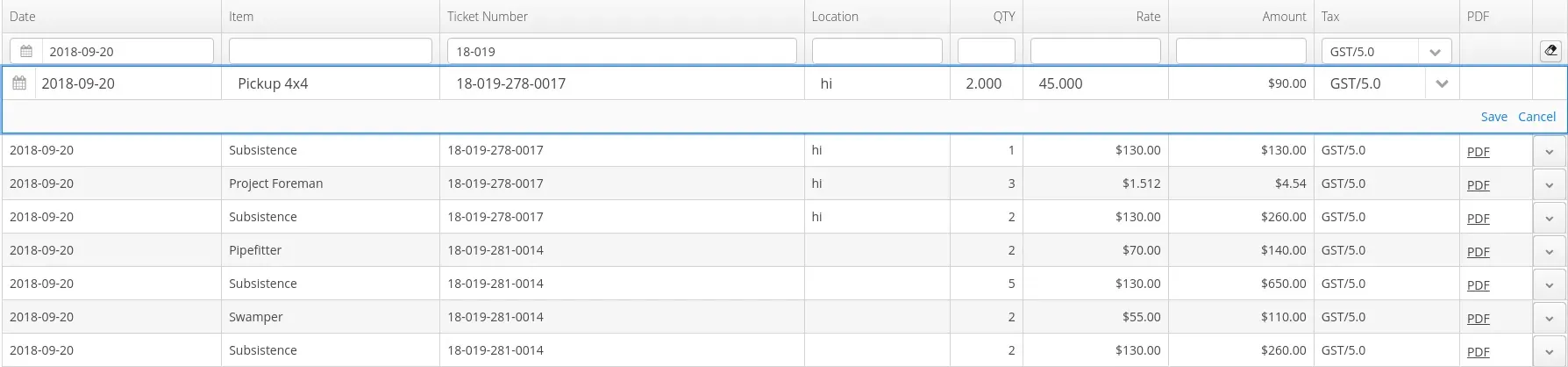
The addition of an easier way to edit line items by simply double clicking on the item.
Why is it important?
All of these updates will make it easier and more intuitive to use the invoice window.
How do I see the changes?
If you have the Invoice module, you’ll be able to see each of the changes:
Filter by Date, Item, Ticket Number, Location, Quantity, Rate, or Amount. Note: the filters available depend on how your account it set up.
Check off the billable items (instead of dragging and dropping them).
To edit a line item, simply double click on the line and then edit the text.
This one’s nice and self-explanatory…the table is larger 🙂
When will it be available?
This feature was included in release 20.21, available on October 22, 2020.
Read about all updates, improvements, and bug fixes for release 20.21 in the Aimsio release notes.